Event Listener
With Event Listeners you can listen for events inside the Discord servers that your bot is in. They can also run on a schedule or when a webhook is called. Right now, Kite supports the following Discord events:
- Message Create
- Message Update
- Message Delete
- Direct Message Received
- Member Join
- Member Leave
- Reaction Add
- Reaction Remove
- Bot Joined Server
- Bot Left Server
- Server Boost
Restrictions
- By default, your app is limited to 5 event listeners.
- Kite will ignore messages that are sent by a bot.
- Reaction events ignore reactions added or removed by your own app, so a flow that reacts to a message doesn't trigger itself. Reactions by other bots still fire the event.
- Reaction events provide the emoji as
{{emoji}}, with{{emoji.id}},{{emoji.name}}and{{emoji.mention}}.{{emoji.id}}is empty for unicode emojis. - Reaction Remove only knows the user's ID, so only
{{user.id}},{{user.mention}}and{{user.created_at}}are available there. Fields like{{user.username}}are empty; use a Get User block if you need them. - Member events are only available when you enable the "Server Members Intent" in the Discord Developer Portal.
- Bot Left Server only provides
{{guild.id}}, as the bot no longer knows anything else about the server. - Direct Message Received triggers when a user sends a direct message to the bot. Message Create, Update and Delete only trigger for messages in servers, never for direct messages.
- Server Boost runs when a member boosts the server.
{{user}}is the member who boosted,{{guild}}is the server, and{{message.id}}and{{channel.id}}are the boost message and the channel it was posted in. - Kite detects boosts through the message Discord posts in the server's system messages channel. Server Boost only works when "Send a message when someone boosts this server" is enabled in the server settings and your bot can see that channel. It doesn't need the "Server Members Intent".
Scheduled Event Listeners
Scheduled event listeners don't wait for something to happen in Discord. They run their flow on a schedule, which you define with a cron expression. Schedules always use UTC.
| Schedule | Runs |
|---|---|
*/5 * * * * | Every five minutes |
0 * * * * | At the start of every hour |
0 18 * * 1-5 | At 18:00 UTC on weekdays |
A scheduled run has no user, server or channel. Blocks that act on a server, like banning a member, need a target guild, and messages need a target channel. Response blocks aren't available because there's nothing to respond to. The time the run was scheduled for is available as {{schedule.time}} and {{schedule.unix}}.
If Kite was down when a run was due, it catches up on the latest missed run if it's at most 5 minutes late. Older runs are skipped. A run is also skipped if the previous run of the same listener is still going.
Restrictions
- Scheduled event listeners have their own limit, 5 by default.
- By default, a schedule can run at most once every 5 minutes. Premium apps can run schedules once a minute.
- Every run uses credits like any other flow, so frequent schedules add up quickly. The editor shows an estimate of the credits a schedule uses per month.
Webhook Event Listeners
Webhook event listeners run their flow when another service sends a request to their webhook URL. Use them to bring things that happen outside of Discord into your server, like a push on GitHub, a new video, a payment or a status alert.
To create one, select Webhook as the source of a new event listener. Open the settings of the first block in the flow editor to copy its webhook URL, or use Copy Webhook URL in the menu of the event listener. Then enter the URL wherever the other service asks for a webhook URL.
The URL only accepts POST requests. Kite answers with status 202 right away and runs the flow in the background. To return data to the sender, or reject a request with a status like 401, add a Respond to webhook block. The request then waits until the flow responds or ends, and the flow keeps running after it responded.
You can try it from a terminal:
curl -X POST "YOUR_WEBHOOK_URL?source=test" \
  -H "Content-Type: application/json" \
  -d '{"repository": {"name": "kite"}}'
Placeholders
| Placeholder | Value |
|---|---|
{{webhook.body}} | The body of the request as text |
{{webhook.data.repository.name}} | A field of the body parsed as JSON, kite in the example |
{{webhook.headers['x-github-event']}} | A header of the request, header names are in lowercase |
{{webhook.query.source}} | A query parameter of the URL, test in the example |
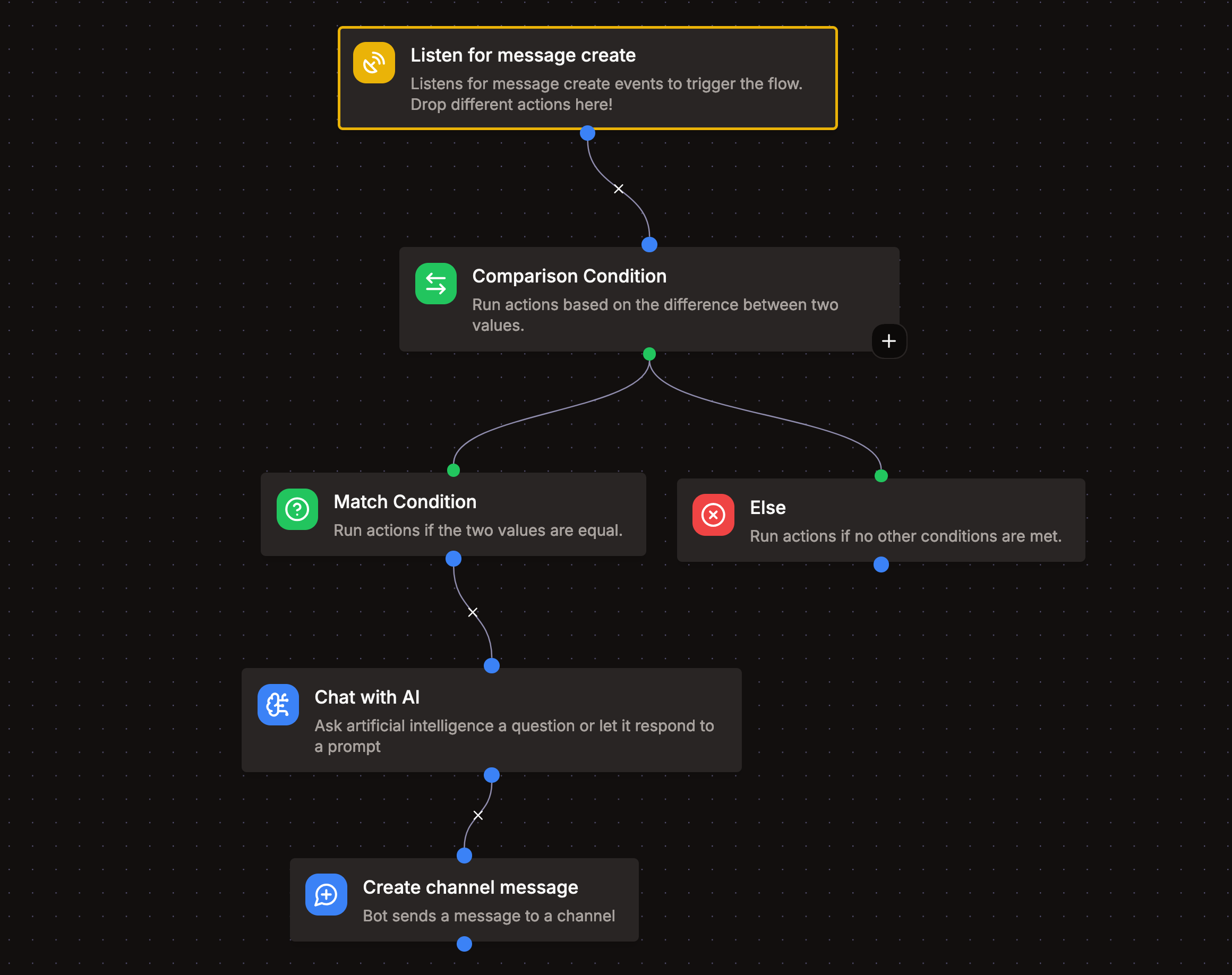
Many services send different kinds of events to the same URL and name the kind in a header or in the body. Use a Comparison Condition block on that value to only react to the events you want.
Like a scheduled run, a webhook run has no user, server or channel. Blocks that act on a server need a target guild, and messages need a target channel. Response blocks for interactions aren't available because there's no interaction to respond to.
Verifying requests
Many services sign their requests, so you can check that a request really comes from them. Add a Verify webhook signature block at the start of the flow, and answer its invalid branch with status 401. Services that only send a token, like in an Authorization header, can be checked with a Comparison Condition against a secret.
Keeping the URL secret
Anyone who knows the webhook URL can run the flow, and every run uses credits. Treat the URL like a password. If it got out, regenerate it in the settings of the first block. The old URL stops working right away and the new one works within a few seconds. Enter it wherever the old one was used.
The URL isn't part of the flow, so it isn't included when you export, share or duplicate the event listener. A copy gets its own URL.
Restrictions
- Webhook event listeners have their own limit, which is the same as for Discord event listeners, 5 by default.
- The body of a request can be up to 64 KB, and its headers and query parameters up to 16 KB together.
- All webhook event listeners of an app share a limit of 10 requests per minute, with bursts of up to 60 at once. Requests above that are answered with status
429and don't run the flow. - Requests are answered with status
404while the event listener is disabled, and with503while your app is offline. - A request to a flow with a Respond to webhook block waits up to 10 seconds, or until the flow ends, then it's answered with status
202. - It can take a few seconds until a new or re-enabled event listener accepts requests.