Cookie API Discord Bot
Kite can connect your Discord bot to Cookie API. Your bot can save ticket transcripts, make welcome cards, check new members with a captcha, link Minecraft accounts and make QR codes, all with blocks in the flow editor.
If you don't have a bot yet, create one first with the getting started guide.
For help with your Kite bot, ask in Kite's Discord server. For your Cookie API account and key, ask in Cookie API's Discord server.
Connecting Cookie API
- Sign up for Cookie API and copy your API key from the dashboard. Cookie API has a free plan.
- In Kite, open your app, go to
Integrations, click onEnablenext to Cookie API and paste the key.
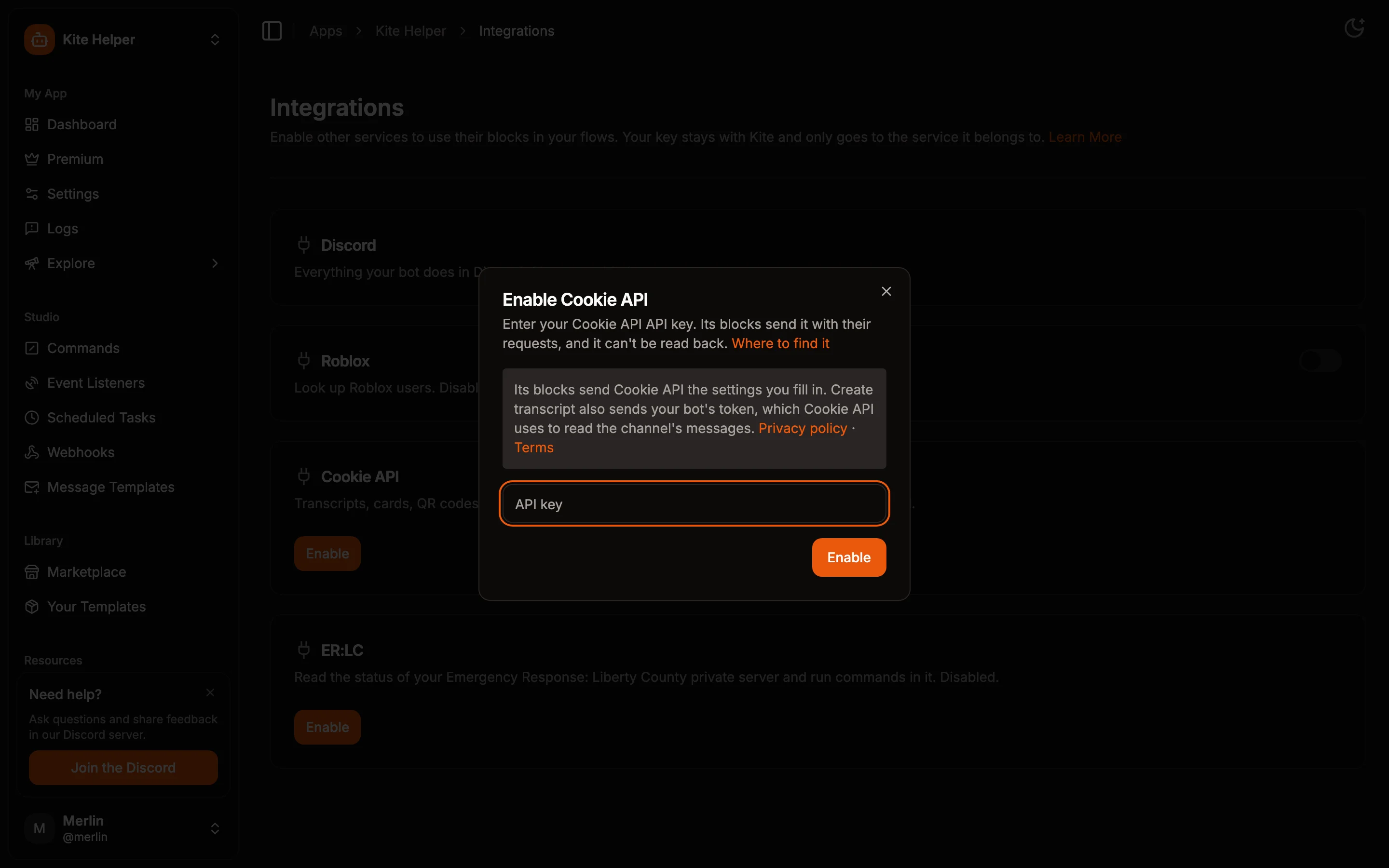
The key is stored encrypted and is only ever sent to Cookie API. The Create transcript block also sends your bot's token, which Cookie API needs to read the channel. Kite adds it to the request itself, so you never paste the token into a block. See Integrations for more.
The Cookie API blocks are in the Cookie API section of the action blocks. Each costs 1 credit when it runs.
In the examples below, result('id') stands for the result of the block with that ID. The placeholder explorer fills it in for you when you click on a field like the transcript's URL.
Ticket Transcripts
A /close command that saves the ticket channel before deleting it:
- Create a command called
closeand add a Command Permissions block, so only your staff can use it. - Add a Create transcript block. Leave the channel empty to save the channel the command runs in, and set a title like
Ticket {{channel.name}}. - Add a Create channel message block that posts
{{ result('id').url }}to your log channel. - Add a Delete channel block with
{{channel.id}}as the channel.
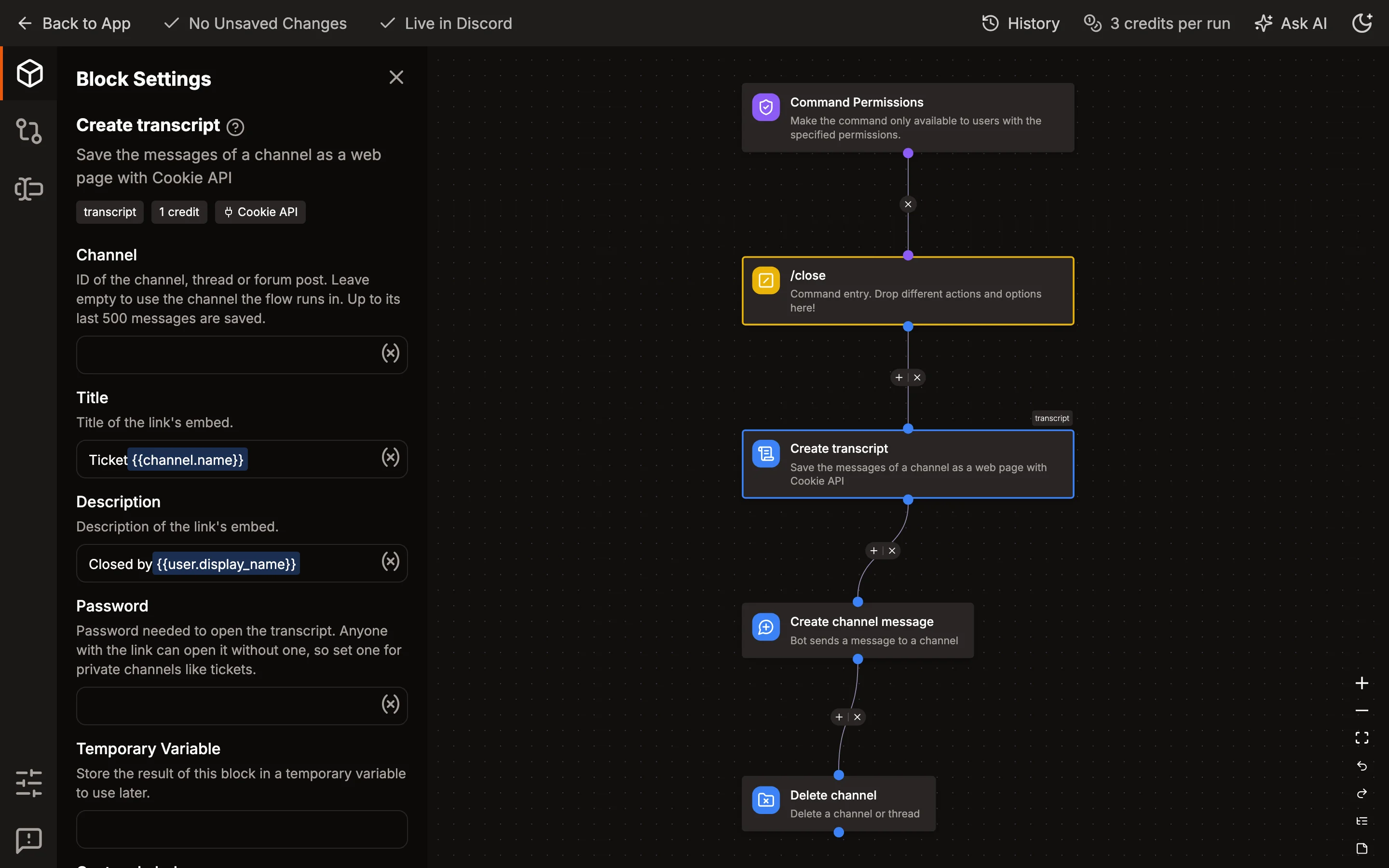
A transcript has up to the last 500 messages of the channel. Anyone with its link can open it, and the links are easy to guess, so set a password for tickets. The bot needs to see the channel. If it can't, Cookie API answers with Invalid Channel ID.
Welcome Cards
Design the card in the Card Builder and copy its JSON. Placeholders work inside it, so "text": "Welcome {{ user.display_name }}" greets each member by name and "user_id": "{{ user.id }}" shows their avatar in a Discord profile element.
The Welcomer template is a good start. Open its welcome event listener, add a Generate card block before the message and paste the JSON. Then set {{ result('id').url }} as the image of the message's embed.
Cookie API deletes cards after 7 days, which is fine for a welcome message but not for an image you want to keep.
Captcha Verification
A captcha keeps bots out better than the plain button of the Verification template:
- When a member clicks the first button, a Create captcha block makes the page, with Cloudflare Turnstile or Google reCAPTCHA. Reply with its link,
{{ result('id').url }}, and save{{ result('id').captcha_id }}in a stored variable for that member. - A second button runs Check captcha with the saved ID. When
{{ result('id').solved }}isYES, give the member the role.
A captcha expires after an hour.
Linking Minecraft Accounts
Players join verify.cookie-api.com in Minecraft, Java or Bedrock, and get a code. A /link command with a code argument runs Verify Minecraft player with {{arg('code')}}. Its result has the player's name, {{ result('id').player_name }}, their UUID and their edition.
Store the name in a variable for the member, or set it as their nickname with Edit member nickname. A wrong code makes the block fail, so add an error handler that tells the member to try again.
QR Codes
Generate QR code turns a link or text into an image, with squares or dots and an optional logo in the middle. Use {{ result('id').url }} as the image of an embed, for example for a link to your website or a giveaway.