Long cooldowns with stored variables
For most commands, use the Command Cooldown block. It's kept in memory, so it's limited to 1 hour and resets when Kite restarts.
Build the cooldown from stored variables instead when you need:
- Cooldowns longer than 1 hour, like daily rewards, or ones that survive a restart.
- Cooldowns on event listeners, which can't use the block.
- A cooldown on only part of a flow, like one branch, or one that only starts once the flow succeeds.
Step 1. Creating a variable
- Create a variable named "cooldown" from your Kite dashboard, on the Stored variables page.
- Set the variable as scoped.
info
Usage of scopes
user.id- for user-specific cooldowns- if
xuser invokes the command, it won't affectyuser.
- if
guild.id- for server-wide cooldowns- if
xuser invokes the command, all the users in the server will be on cooldown for using the command.
- if
0- for global cooldown- if
xuser invokes the command in any server, all the users across all the servers the bot is present in will be on cooldown for using the command.
- if
Step 2. Comparing values
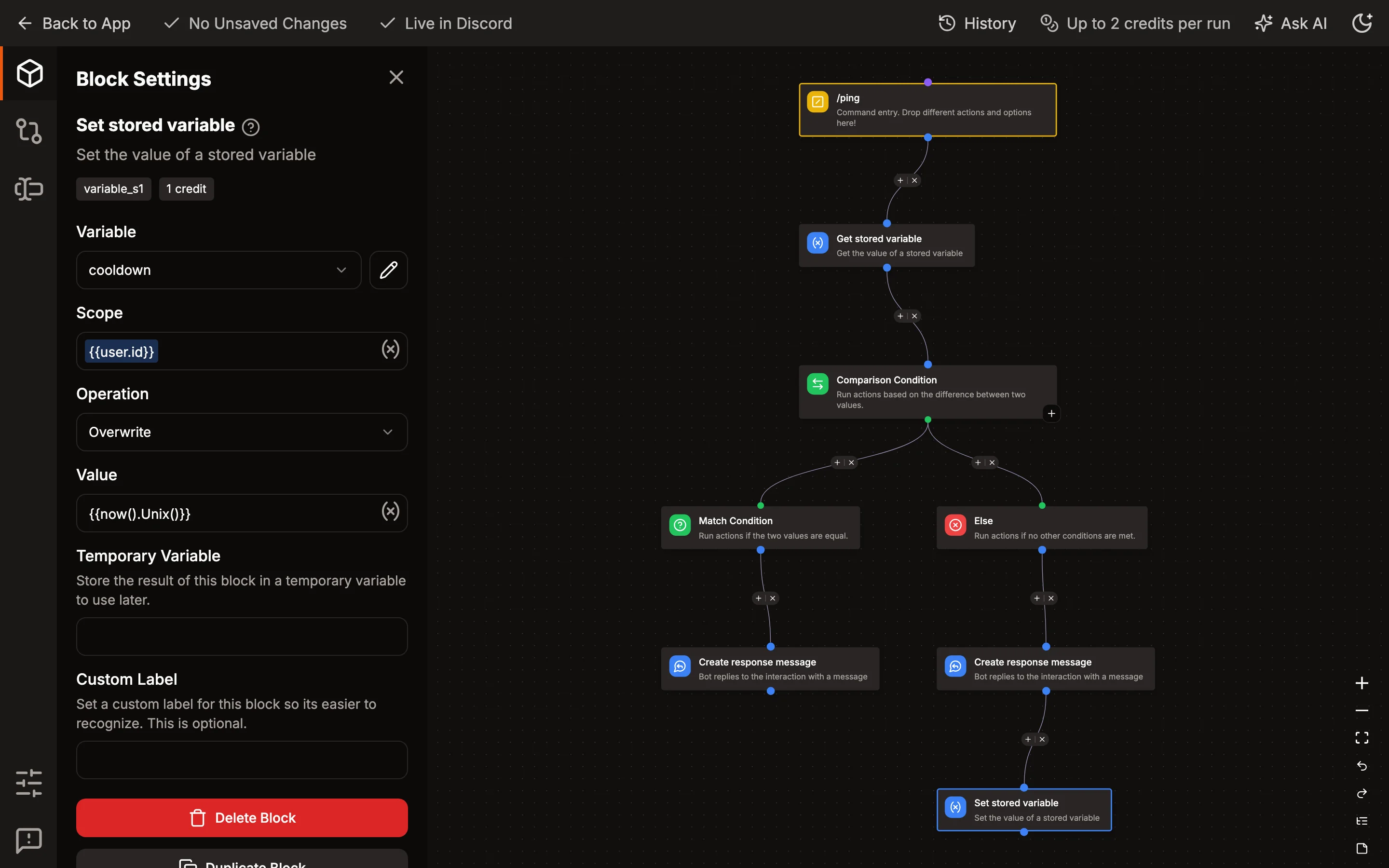
- Add these blocks before your actual command flow/actions :
- Get Stored Variable
- Comparison Condition
Get Stored Variable
- Variable :
cooldown - Scope :
{{user.id}}/{{guild.id}}/0[ see above for correct usage ]
Comparison Condition
- Base Value:
{{now().Unix() - (result('GET_VARIABLE') ?? 0)}}
note
Replace 'GET_VARIABLE' with your actual block's name.
- Match Condition
- Comparison Mode -
LESS THAN - Comparison Value:
- Comparison Mode -
{{duration("2m").Seconds()}}
note
Replace "2m" with your desired duration. (see below)
info
Correct usage of duration
- Valid time units are "s", "m", "h".
for eg.- if you want a 2 hour cooldown -
{{duration("2h").Seconds()}} - 2 hours 30 mins -
{{duration("2h30m").Seconds()}} - 2 hours 30 mins 5 seconds -
{{duration("2h30m5s").Seconds()}} - 20 mins 10 seconds -
{{duration("20m10s").Seconds()}}
- if you want a 2 hour cooldown -
warning
Days tag - "d" is not accepted
- If you want
x dayscooldown, you'll have to convert it to hours.- for eg. : 4 days = 96h , 2d 3h = 51h , etc.
Step 3. Responding
- if the condition is true :
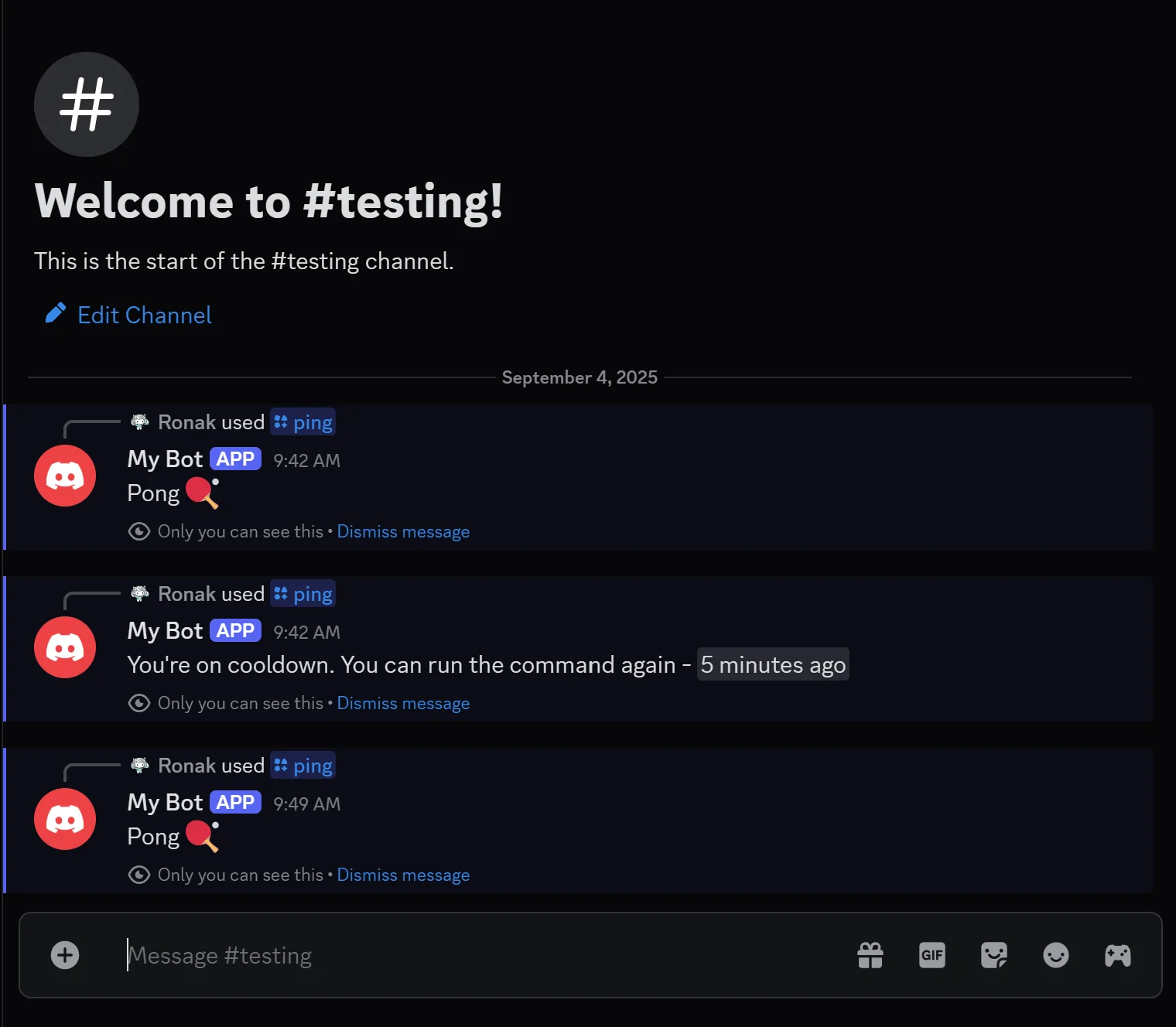
- You're on cooldown. You can run the command again -
<t:{{result('GET_VARIABLE') + duration("2m").Seconds()}}:R>
- You're on cooldown. You can run the command again -
- else :
- connect your original command flow
Step 4. Setting the variable's value
At the end of your actual command flow, add the Set Stored Variable block
- Variable :
cooldown - Scope :
{{user.id}}/{{guild.id}}/0[ see above for correct usage ] - Operation -
overwrite - Value -
{{now().Unix()}}
tip
If you have multiple commands where you want to have a separate cooldown for each command, you can create command-wise scopes.
Just add your command name before the actual scope. for eg.,
I've got 2 commands /echo & /ping, and I want to add user cooldown to both. In this case, I'll use the following scopes:
echo-{{user.id}}ping-{{user.id}}