Sub-flows
Some flow blocks can be used to create sub-flows. These blocks act as a boundary between the main flow and the sub-flow and are highlighted in pink in the flow editor.
Who Is user in a Sub-Flow?
The blocks attached to a button run when someone clicks that button, which can be minutes or days after the command was used. By then, user means the person who clicked, not the person who ran the command. On a public message those can be different people.
To get the person who ran the command, put origin. in front of the placeholder.
For example, a /report command posts a message with an "Approve" button for moderators. In the blocks attached to the button:
| Placeholder | Who it is |
|---|---|
{{user.mention}} | The moderator who clicked "Approve" |
{{origin.user.mention}} | The member who used /report |
{{origin.channel.id}} | The channel /report was used in |
So the button could reply with {{origin.user.mention}}, your report was approved by {{user.mention}}.
The same works for modals and select menus, and for event listeners, where origin is the event, e.g. {{origin.message.content}}.
You don't have to type these yourself. When you select a block below a button, select menu or modal, the placeholder picker shows an "Original User" group and more with the right placeholders.
Some things work the same everywhere:
{{arg('name')}}always returns the command's argument, even below a button.{{input('name')}},{{inputs('name')}},{{picked('name')}}and{{pickedAll('name')}}return the answer from a modal, even after more buttons or modals.- Temporary variables and results of blocks that ran before the button stay available.
If a sub-flow sits inside another sub-flow, for example a button in the message you send after a modal, previous is whoever used the step before, here the person who submitted the modal. Without nesting, previous is the same as origin.
Modals
Modals are a special type of sub-flow. They are used to create interactive experiences. When a modal is opened, the flow execution is suspended and the modal is displayed to the user. The flow execution is resumed when the modal is submitted. You can then access the results of the modal in the main flow using the interaction.components placeholder.
Modals can be used to create interactive experiences like forms, quizzes, etc.
Interactive Messages
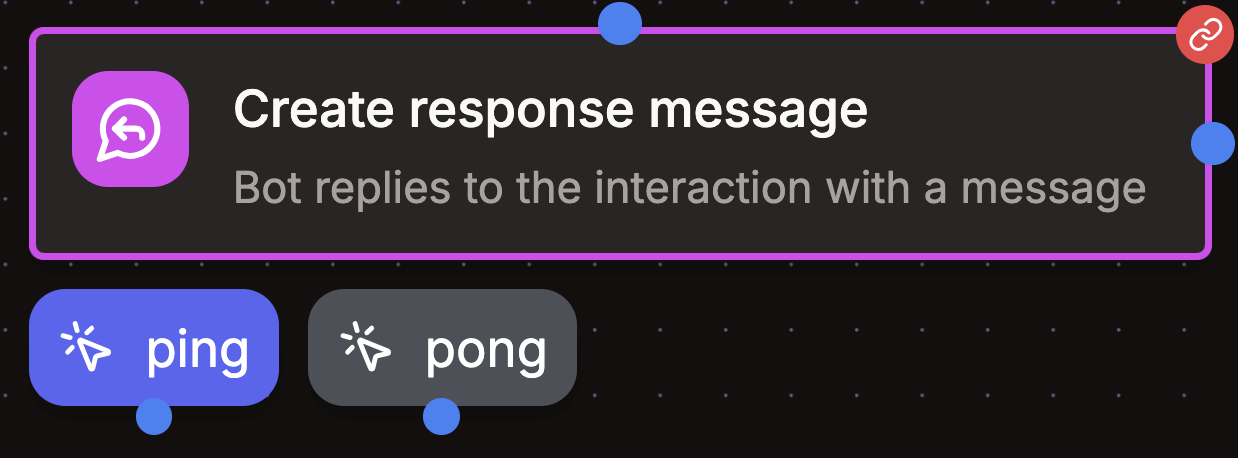
When adding buttons or select menus to a message, the message becomes interactive. When an interactive message is sent and a user interacts with it, the execution resumes from the corresponding button or select menu in the flow. Just attach the blocks you want to each button or select menu.
In the sub-flow of a select menu the value of the picked option is available as {{interaction.value}}. For user, role, mentionable and channel selects it's the ID of what was picked.